
Material & procurement guide
How to Read a Filament Technical Data Sheet: An OEM Buyer’s Guide
Before comparing the price of two filament spools, compare what each supplier actually specifies. A technical data sheet, or TDS, connects a material grade to its processing guidance and reported properties. For an OEM brand, distributor or print farm, reading it well helps you choose samples, ask useful supplier questions and define the order you expect to receive. This guide uses WJ PLA Basic and PETG Basic as worked examples, with links to the source documents.
Quick answer for buyers
To evaluate a filament technical data sheet, check the exact grade and revision, diameter tolerance, printing and drying guidance, and the test conditions behind each property. WJ publishes grade-specific material guides and downloadable TDS documents with typical reference values. Use those values to shortlist materials; confirm the sample, color, spool, packaging and order acceptance criteria with WJ before an OEM or wholesale order.
1. Match the sheet to the exact filament grade
Start with the product name, document number, revision and issue date. “PLA” identifies a material family; PLA Basic, PLA Matte and PLA+ identify different products. Their processing guidance and properties should not be treated as interchangeable. Color or special additives may also affect the profile you approve.
For the examples below, the documents are WJ-TDS-PLABASIC-001 and WJ-TDS-PETGBASIC-001, both V1.0, issued August 1, 2026. Download the document for the grade under consideration and keep that version with your sample records. A later revision should be reviewed before a repeat order.
2. Read diameter tolerance as a measurable requirement
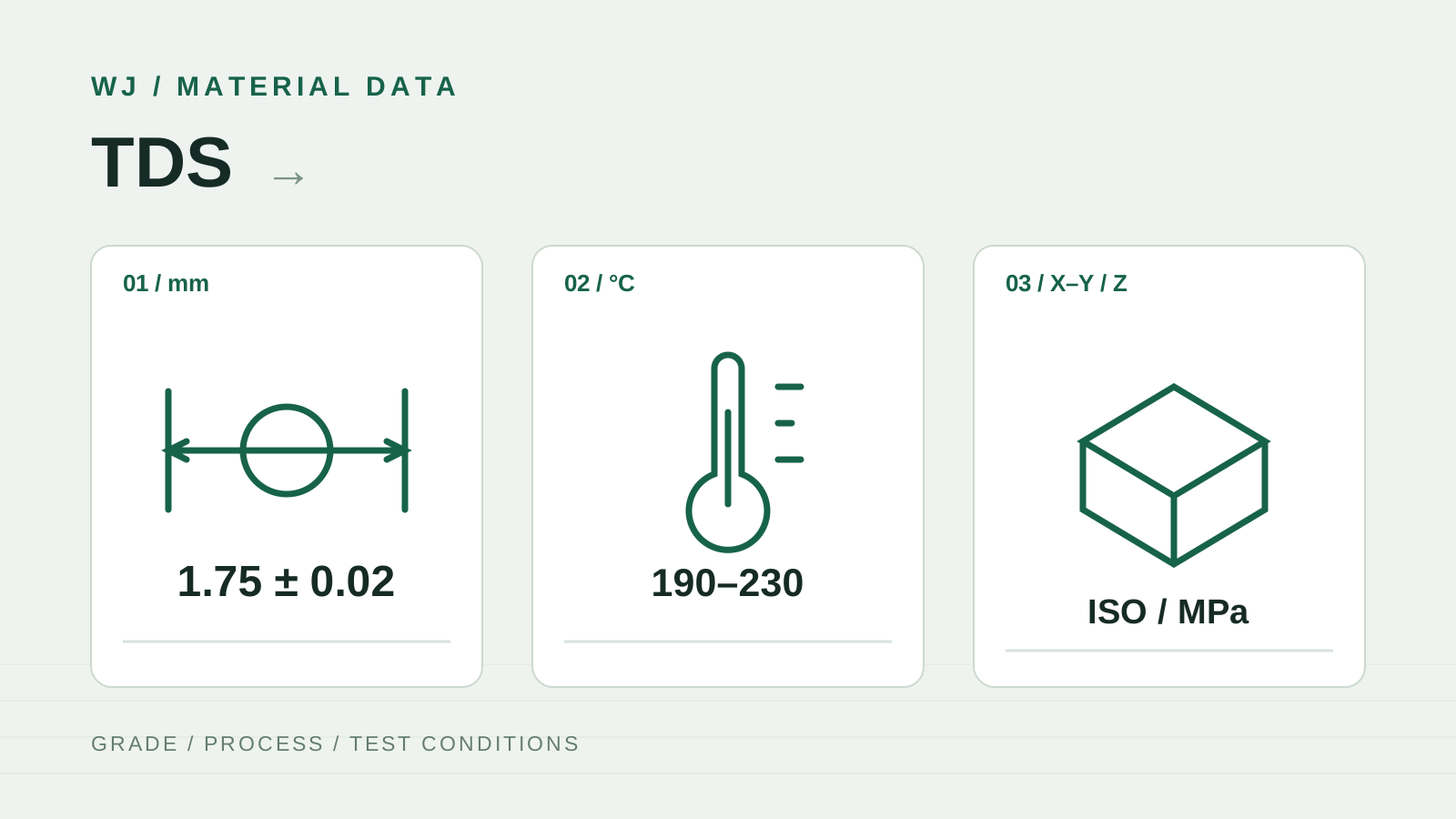
Both example sheets list 1.75 mm filament with a diameter tolerance of ±0.02 mm. The corresponding numerical interval is 1.73–1.77 mm. This describes a dimensional requirement; it is not evidence that a particular delivered batch has already been measured or accepted.
Your slicer uses the configured filament diameter when calculating extrusion. Variation along the strand can change the amount of material delivered for the same feed length. When buying in volume, agree on how diameter and roundness will be checked, where samples will be taken and how the results will be recorded. A few caliper readings can be a useful screening check, but they do not establish the consistency of an entire spool or batch.
3. Treat printing settings as a starting profile
Read nozzle temperature, bed temperature, cooling, build surface, nozzle requirements and drying guidance together. The WJ PLA Basic sheet gives a 190–230°C nozzle range and a 35–45°C bed range; PETG Basic gives 230–250°C and 70–80°C. A profile from another brand should not replace the guidance for the actual grade you are sampling.
Drying guidance also differs: the cited PLA Basic sheet states 50°C for 8 hours, while PETG Basic states 65°C for 8 hours. Follow the grade-specific instructions and check that the spool and dryer are suitable. After drying, protect the spool from renewed moisture exposure.
A stated speed in mm/s is incomplete without layer height, extrusion width and hotend capability. Prusa’s documentation explains that maximum volumetric speed depends on the hotend and material. For a supplier trial, record the printer, nozzle, slicer, material profile and test geometry so a successful setting can be repeated.
4. Compare two sheets without losing the conditions
This table extracts selected entries from the two WJ documents. It illustrates how to read a TDS, rather than declaring one material universally better. The nozzle and bed entries are processing guidance; the heat deflection temperature entries are typical reference properties under a stated test load.
| Entry | WJ PLA Basic | WJ PETG Basic |
|---|---|---|
| Document | WJ-TDS-PLABASIC-001 · V1.0 | WJ-TDS-PETGBASIC-001 · V1.0 |
| Diameter / tolerance | 1.75 mm ± 0.02 mm | 1.75 mm ± 0.02 mm |
| Nozzle temperature | 190–230°C | 230–250°C |
| Bed temperature | 35–45°C | 70–80°C |
| Drying before printing | 50°C · 8 h | 65°C · 8 h |
| Heat deflection temperature | ≈ 55°C · ISO 75 · 0.45 MPa | ≈ 75°C · ISO 75 · 0.45 MPa |
5. Keep the test method beside every property
Strength, stiffness and resistance to impact answer different questions. Tensile strength is reported in MPa, modulus describes stiffness, and impact data needs the stated test method and whether the specimen was notched. Before comparing suppliers, check the specimen preparation, conditioning, print orientation and units.
A value measured in the X–Y direction should not be compared directly with a Z-direction value as though the specimens were identical. Keep the orientation and the method alongside the number in your comparison sheet. If either supplier omits those conditions, request the missing information before drawing a performance conclusion.
Heat deflection temperature, or HDT, is also conditional. In this example, PLA Basic lists approximately 55°C and PETG Basic approximately 75°C at ISO 75, 0.45 MPa. That load belongs with the number. HDT is not a guaranteed continuous service temperature for your finished part. Likewise, melt flow rate in g/10 min is a test-specific material measure, not a printer’s maximum volumetric flow in mm³/s.
6. Separate reference data from batch acceptance
The cited WJ sheets identify their data as typical reference values for material comparison and selection. They are not independent third-party test reports and do not constitute a performance guarantee for an individual printed part. This distinction lets you use the documents for selection without treating them as proof of batch compliance.
A TDS describes the grade. A batch inspection record describes checks made on a specified batch. A third-party report documents testing within its stated scope. If your purchase needs a batch-specific record or independent testing, ask what documentation can be supplied and agree on it before releasing the order.
7. Turn the shortlist into a practical sample check
Choose a small set of tests that reflects your actual use. A dimensional coupon can help you check fit; your own functional part can reveal the behavior that matters in service. Keep the geometry, profile and evaluation method consistent when comparing samples.
For repeat purchasing, document the approved reference and the checks that will be repeated. Manufacturing footage can provide process context, but it does not replace the dimensional or performance records specified for an order.
- Identify the exact grade, color, TDS revision and sample or batch reference.
- Record printer, nozzle, profile, drying treatment, orientation and geometry.
- Check filament dimensions, feed behavior, print appearance and the application’s fit requirements.
- Confirm spool dimensions, net weight, labeling and protective packaging separately.
- Agree the acceptance criteria, sampling method and required documentation in writing.
8. Send a specification that makes the quote useful
WJ’s material library provides a starting point for selecting a grade and downloading its TDS. For an OEM or wholesale inquiry, share the application and the conditions that matter: expected temperature, loading, appearance and printer setup. Add the proposed quantity, delivery destination and the spool and packaging you need.
If a listed reference value does not answer your application question, name that gap in the inquiry. Ask about sample evaluation and any additional documentation required. The aim is to carry one agreed specification from the first sample through the purchase order and subsequent reorders.
Procurement notes
| Material & application | Exact grade, color reference, end use and required operating conditions. |
|---|---|
| Sample evaluation | Approved TDS version, printer profile, test part and documented acceptance criteria. |
| Spool & packaging | Net weight, spool dimensions, label artwork and protective packaging requirements. |
| Order details | Quantity, destination, desired schedule and required inspection or test documentation. |